


Choosing the perfect TV size isn’t just about going big—it’s about finding the sweet spot between screen size, room dimensions, and viewing comfort. A TV that’s too small may feel underwhelming. Too large, and you might end up constantly shifting your head or sitting too close, which can lead to eye strain.
This guide breaks down how to choose the ideal TV size based on your room layout, viewing distance, and purpose of use—so you can create a comfortable and immersive home theater experience.
1. Why TV Size Matters More Than You Think
TV size affects more than aesthetics. It directly influences:
- Viewing comfort (neck movement, eye strain)
- Image quality (if you’re too close, pixels become visible)
- Room balance (a huge TV can overpower a small room)
A well-chosen size enhances immersion and prevents the fatigue that comes from poor viewing ergonomics.
2. The Ideal Viewing Distance: Simple Formula
To calculate the ideal TV size, you can use this quick formula:
Viewing distance (in inches) ÷ 1.6 ≈ Ideal TV size (in inches)
For example:
- If you sit about 8 feet (96 inches) away, then:
96 ÷ 1.6 ≈ 60 inches - If your couch is only 6 feet away (72 inches):
72 ÷ 1.6 ≈ 45 inches
This isn’t a strict rule, but it’s a great baseline. You can go slightly larger with 4K or 8K screens since they maintain picture clarity at closer distances. For a hassle-free setup and to ensure your TV is safely and perfectly mounted, consider a professional TV installation service.
3. Room Type and TV Size Recommendations
Living Room
- Common distance: 8–10 feet
- Recommended size: 55″ to 75″
- For an open-concept or large living room, go toward the larger end of the scale.
Bedroom
- Distance: typically 6–8 feet
- Recommended size: 43″ to 55″
- Consider mounting slightly higher if viewing while lying down.
Kitchen or Office
- Distance: 4–6 feet
- Recommended size: 32″ to 43″
- Look for compact TVs with wide viewing angles and anti-glare screens.
4. Consider Screen Resolution Too
Resolution affects how close you can sit to your TV without noticing pixelation:
- 1080p (Full HD): sit at least 1.5x screen size in distance
- 4K (Ultra HD): sit at 1.0–1.2x screen size
- 8K: can sit even closer
For example, if you’re considering a 65″ 4K TV, you can sit comfortably just 5–6 feet away.
5. Use Smart Planning Tools to Get It Right
Instead of guessing the right size and placement, consider using a free online planning tool that does the math for you. At tvmounty.com, you’ll find an easy-to-use TV height calculator and mounting selector. These tools help you:
- Calculate the perfect mounting height based on your seating position
- Find the best wall mount type (fixed, tilt, full-motion)
- Plan the optimal setup for your specific room
It’s a simple, smart way to ensure your TV not only fits—but performs perfectly in your space.
👉 Try it here: tvmounty.com
6. Wall Space and Furniture Considerations
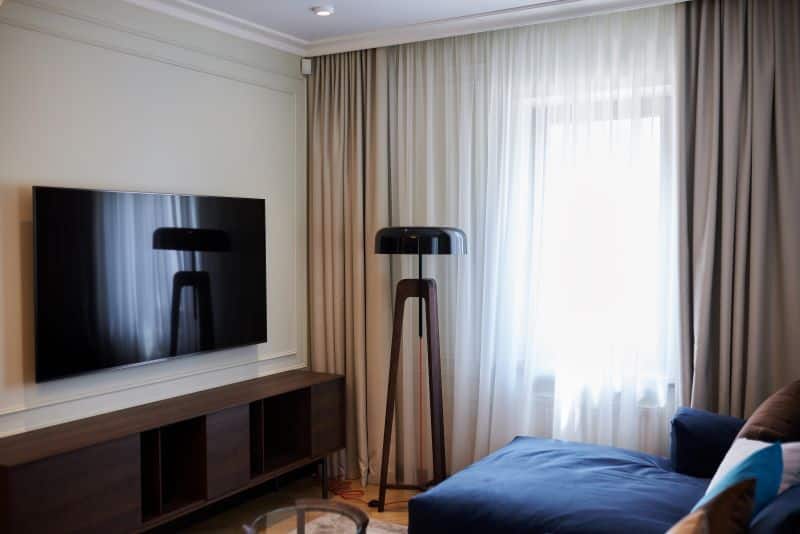
Before buying that huge screen, measure:
- Wall width (leave at least 4–6 inches space on each side)
- Furniture dimensions (TV shouldn’t be wider than the stand)
- Vertical space if mounting above a fireplace or low furniture
Tip: Leave space for a soundbar if you plan to add one.
7. Mounting vs. Stand: Which Impacts Size Choice?
Wall mounting gives you flexibility with size since you’re not limited by furniture. A 75″ TV may feel more natural when mounted than when placed on a small stand.
However, if you’re using a stand:
- Make sure the base is wide enough
- Choose a model with a sturdy center stand if shelf space is limited
Read this article to make a decision about stand or a wall mount.
8. Summary: Choose What Fits Both Your Eyes and Your Space
TV size is personal—but it’s also technical. Focus on the balance between viewing distance, room layout, and screen resolution. Bigger is better only if your room supports it.